Blog Highlights
- Project management software focuses on tasks, timelines, and collaboration, while PSA software connects project delivery with resources, financials, billing, and revenue.
- PSA software provides real-time visibility into resource utilization, capacity planning, project profitability, and revenue recognition, helping businesses make informed decisions.
- Disconnected project management tools can lead to revenue leakage, billing disputes, inaccurate forecasts, and delayed financial reporting.
- AI-enabled PSA software improves resource allocation, predicts project risks, optimizes staffing decisions, and supports more accurate revenue forecasting.
- Choosing between PSA and project management software depends on business complexity, billing requirements, financial visibility, and the need to manage the complete opportunity-to-cash lifecycle.
A 400-employee IT services organization in Pune had a delivery head who managed projects on a popular PM tool for three years. Tasks were completed. Timelines were managed. But the finance team spent a week each month extracting data from 4 systems to prepare one revenue report. Utilization was an estimate. Billing disagreements grew because effort hours logged were not aligned to client contracts. Margin visibility was 45 days after close.
This is not a project management problem. This is a business management problem. And that is the line that is crossing PSA software vs project management software.
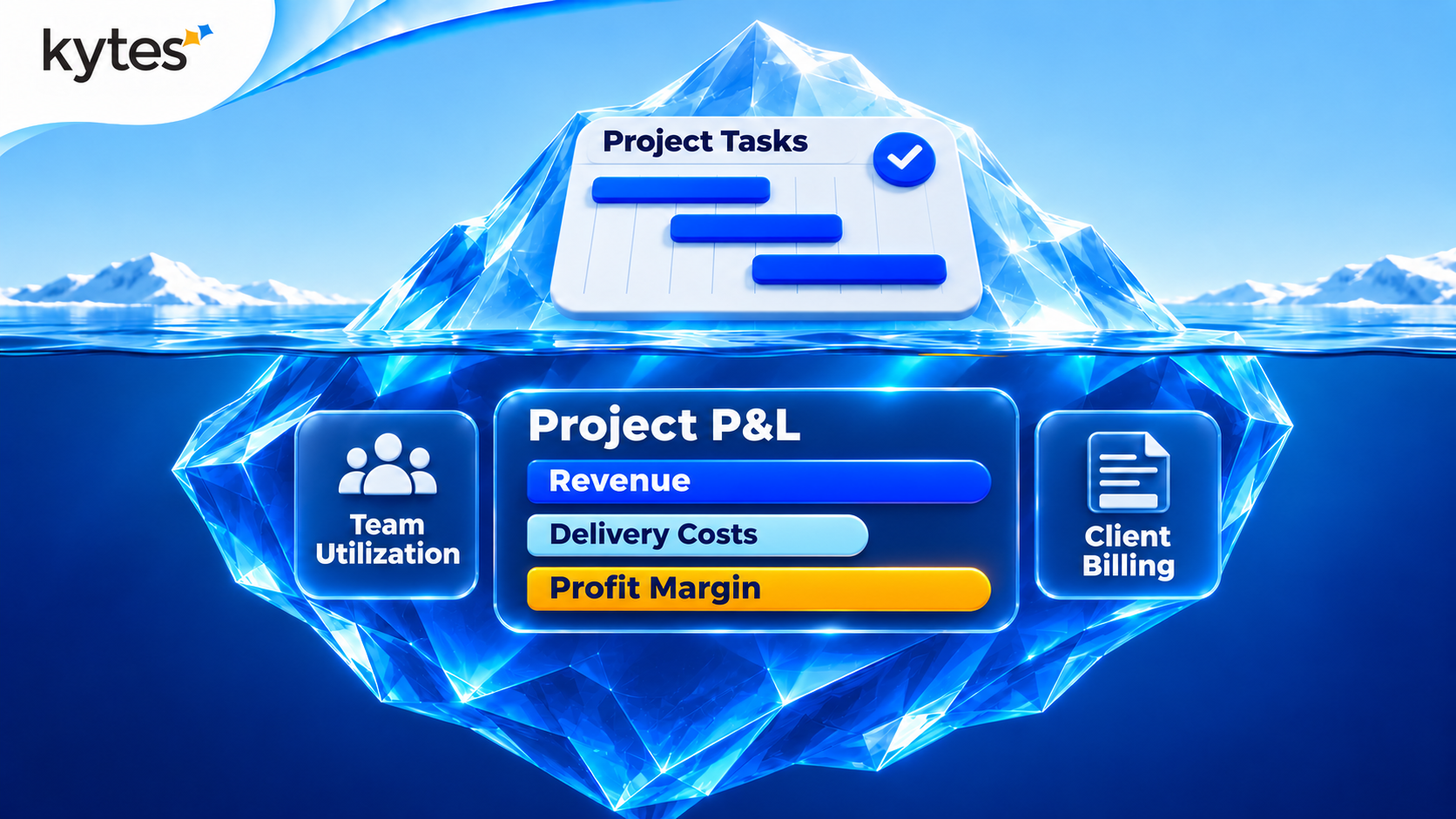
PSA (professional services automation) software links delivery to your services business’s money engine. It’s the system that schedules resources, records time, and manages billing, revenue recognition, and margins, all within the same tool used to assign work and monitor deadlines. Project management is what work is being performed; PSA is what that work is worth.
The SPI Research 2026 Professional Services Maturity Benchmark surveyed 509 firms and found billable utilization fell to 66.4 percent — the lowest in the benchmark’s 19-year history. EBITDA sat at 9.9 percent against a target of 15 percent. Firms running disconnected tools are leaving money on the table. The question is whether your tool stack is part of the problem.
What Is PSA Software and How Does It Differ From PM Software?
PSA software is built for firms that sell time and skills. It covers the full lifecycle from pipeline to cash — estimates, project plans, staffing, time capture, billing, revenue, and financial reports. Everything connects. A staffing change updates the revenue forecast, the utilization dashboard, and the billing schedule at once.
Project management software covers a narrower band. It manages tasks, timelines, dependencies, and team collaboration within individual projects. Tools like Asana, Monday.com, ClickUp, and Jira do this well. They help teams get work done. What they do not do is answer the questions a services CFO or delivery head asks every week: What is our blended utilization? Which projects are leaking margin? Are we billing what we earned?
That gap is not a bug. It is a design choice. PM tools manage work. PSA manages the business behind the work.
What Does PSA Cover That PM Tools Do Not?
The gap is widest in five areas. Each one is a blind spot that PM tools were never designed to fill.
Revenue recognition and billing. A PM tool tracks hours. A PSA platform turns those hours into invoices, matches them against contract terms (time-and-material, fixed-price, milestone-based), and books revenue according to ASC 606 or IFRS 15 rules. Without this, finance teams rebuild the revenue story every month from spreadsheets.
Resource utilization and capacity planning. PM tools show who is assigned to what. PSA software shows who is billable, at what rate, against what target, and where the gaps will appear next month. The SPI Research 2026 benchmark found that high-performing firms run at 79.5 percent billable utilization versus 69.9 percent for the rest. That 10-point gap is worth millions in annual revenue. You cannot manage it from a task board.
Project financial management. PSA tracks margin per project, cost-to-complete forecasts, earned value, and budget variance — all in real time. A PM tool might track budget at the top level, but it does not connect staffing cost rates, contractor margins, and revenue streams to give you a live P&L per engagement.
Opportunity-to-cash workflow. PSA starts before the project does — at the opportunity and estimation stage. It carries the SOW, the pricing model, and the staffing plan through to delivery and invoicing. PM tools start at kickoff. The pre-project revenue intelligence is simply absent.
Multi-entity financial rollup. For firms with offices in India and the US, PSA handles multi-currency billing, cross-entity revenue recognition, and blended cost rates across locations. A PM tool operating in silos cannot consolidate financial data across geographies.
Full Feature Comparison: PSA vs PM Tools (2026)

This table is not a judgment on PM tools. They do what they are built to do — manage work. The gap shows up when a firm needs to manage the business behind the work.
How Do You Know When You Have Outgrown Your PM Tool?
Five signals tell the story. If three or more apply, your PM tool is holding back the business, not just the projects.
Signal 1: Finance rebuilds revenue reports from scratch every month. When billable hours live in one system, contracts live in another, and invoices live in a third, the month-end close becomes a manual cleanup project. PSA removes this by connecting time, contracts, and billing in one flow.
Signal 2: Utilization is a lagging indicator, not a managed metric. If you learn your utilization rate 30 days after the period closes, you cannot act on it. PSA shows utilization in real time, by person, project, and business unit — so a delivery head can fix a gap this week, not report on it next month.
Signal 3: Staffing decisions happen without cost context. When a PM assigns an engineer, the PM tool does not show what that person costs, what the project budget allows, or how the assignment affects margin. PSA carries cost rates and margin impact at the point of allocation.
Signal 4: Billing disputes consume leadership time. Disputes arise when hours do not match client expectations, scope changes miss billing, or invoices arrive late. PSA connects milestones to billing events, cutting disputes at the source.
Signal 5: You run different tools for different lifecycle stages. One tool for proposals, another for tracking, another for timesheets, another for invoicing. Each handoff leaks data. PSA covers opportunity-to-cash in one platform. No handoff, no leak.
When Should You Stay With a Project Management Tool?
Not every firm needs professional services automation software. If your work is primarily internal — product builds, marketing, IT ops — a PM tool is the right fit. You are not billing clients for hours. You are not tracking utilization targets. You are not managing revenue recognition.
PSA becomes necessary when revenue depends on project delivery. The clearer the line between hours worked and revenue earned, the stronger the case for PSA over a generic PM tool. Consulting firms, IT services companies, engineering services, pharma CROs, and EPC contractors all cross this line.
Firms with fewer than 20 concurrent projects and a simple billing model (one rate, one currency, one entity) may find a PM tool with bolt-on time tracking is enough — for now. The tipping point usually arrives when the finance team’s manual workarounds start costing more than the software would.
How Does Project Financial Management Software Change the Margin Equation?
The numbers tell the story. The PSA software statistics compiled by Mosaic show that firms adopting PSA saw an average revenue increase of $8.96 million — a 12.4 percent lift — from $72.1 million to $81.1 million, per SPI Research 2022 data. Project margins rose 6.1 percent. Revenue leakage fell 3.08 percent. Billable utilization climbed 8.2 percent.
Those gains come from project financial management software doing what spreadsheets cannot: tracking margin in real time, flagging cost overruns before they grow, and tying every logged hour to a revenue outcome. When a project burns 40 percent of its budget at the 25 percent completion mark, PSA alerts the PM and the finance lead the same day. A PM tool shows the task is on track. The budget is not.
The SPI 2026 benchmark found project margins reached 37.7 percent — a five-year high — even as utilization dropped. The firms achieving that are running integrated financial tools, not assembling margin reports from three systems.
How Does Kytes Handle the PSA vs PM Divide?
Kytes is an AI-enabled PSA and PPM platform built for project-driven enterprises — IT and engineering services, pharma, EPC, and GCC firms. It does not force a choice between project management and financial management. Both live on the same data layer.
Opportunity-to-cash in one system. Kytes covers pipeline, estimation, proposals, planning, staffing, timesheets, billing, revenue, and reporting — all connected. A staffing change updates the P&L, utilization, and billing forecast at once.
Resource management with financial context. Every allocation carries its cost rate and margin impact. Delivery leaders see not just who is available, but what each staffing choice does to the project’s bottom line. AI recommends candidates ranked by skill fit, cost, and availability. Engineering services clients report 14 percent higher utilization and 21 percent faster delivery within the first quarter.
Project financials built in, not bolted on. Budget tracking, cost-to-complete forecasting, earned value management, and revenue recognition run natively. Finance teams stop rebuilding reports from spreadsheets. One Kytes client — HTL Aircon — described the shift: “Kytes has become our single source of truth, enabling measurable project cost savings.”
Multi-location, multi-currency support. For firms running delivery across India and the US, Kytes handles blended cost rates, multi-currency billing, and cross-entity rollup. It integrates with SAP, Oracle, NetSuite, Tally, and Workday, so financial data flows without manual export.
AI across the lifecycle. Kytes AI forecasts delays, optimizes staffing, generates project artifacts (charters, WBS, meeting minutes), and performs semantic search across project documents. The AI operates on the full data model — projects, resources, timesheets, and financials — not on task data alone.
Quest Global, an engineering services firm, runs end-to-end PSA on Kytes covering proposal to project closure, integrated with Oracle ERP. Egnyte reported improved time tracking, cost breakdowns, and forecasting after deploying the platform.
How Should You Decide Between PSA and PM Software?
Use this framework. Answer three questions.
Question 1: Does your revenue depend on project delivery? If yes — if you bill clients for time, deliverables, or milestones — PSA is the right starting point. If your projects are internal (product builds, marketing, IT ops), a PM tool is sufficient.
Question 2: How many systems does your finance team touch to close the month? If the answer is three or more (timesheet tool, billing system, ERP, spreadsheet), the handoff cost is real, and PSA removes it. If finance works from one system already, the urgency is lower.
Question 3: Can you see project margin in real time? If margin is a quarterly report, not a daily dashboard, PSA closes the visibility gap. If you already see margin per project per week, your stack may be working — though you should check how much manual effort maintains that view.
If you answered yes to all three, the debate is settled. Your firm needs PSA.
What Is the ROI of Moving From PM Tools to PSA?
The data is concrete. Per SPI Research 2022, firms adopting PSA saw:
- Revenue increase of 12.4 percent ($8.96M average)
- Project margin improvement of 6.1 percentage points
- Revenue leakage reduction of 3.08 percent
- Billable utilization lift of 8.2 percent
- EBITDA gains of up to 24 percent (SPI Research 2025 analysis)
The PSA market reflects this — $15.22 billion in 2025, projected to hit $25 billion by 2030 at roughly 12 percent annual growth.
For a 200-person firm billing at $100 per hour, an 8-point utilization lift means roughly $3.3 million in added annual revenue. That single metric often pays for the platform in year one.
How Long Does It Take to Deploy PSA Software?
Most mid-sized firms go live within 8 to 12 weeks. The first wins — utilization visibility, automated timesheets, and basic billing integration — show within the first month. Deeper capabilities like revenue recognition automation, AI-driven staffing, and full ERP integration follow in the next quarter.
The key is data. PSA needs clean resource records, project budgets, and billing rules. Firms that spend two weeks on data cleanup before go-live see smoother launches.
Frequently Asked Questions